
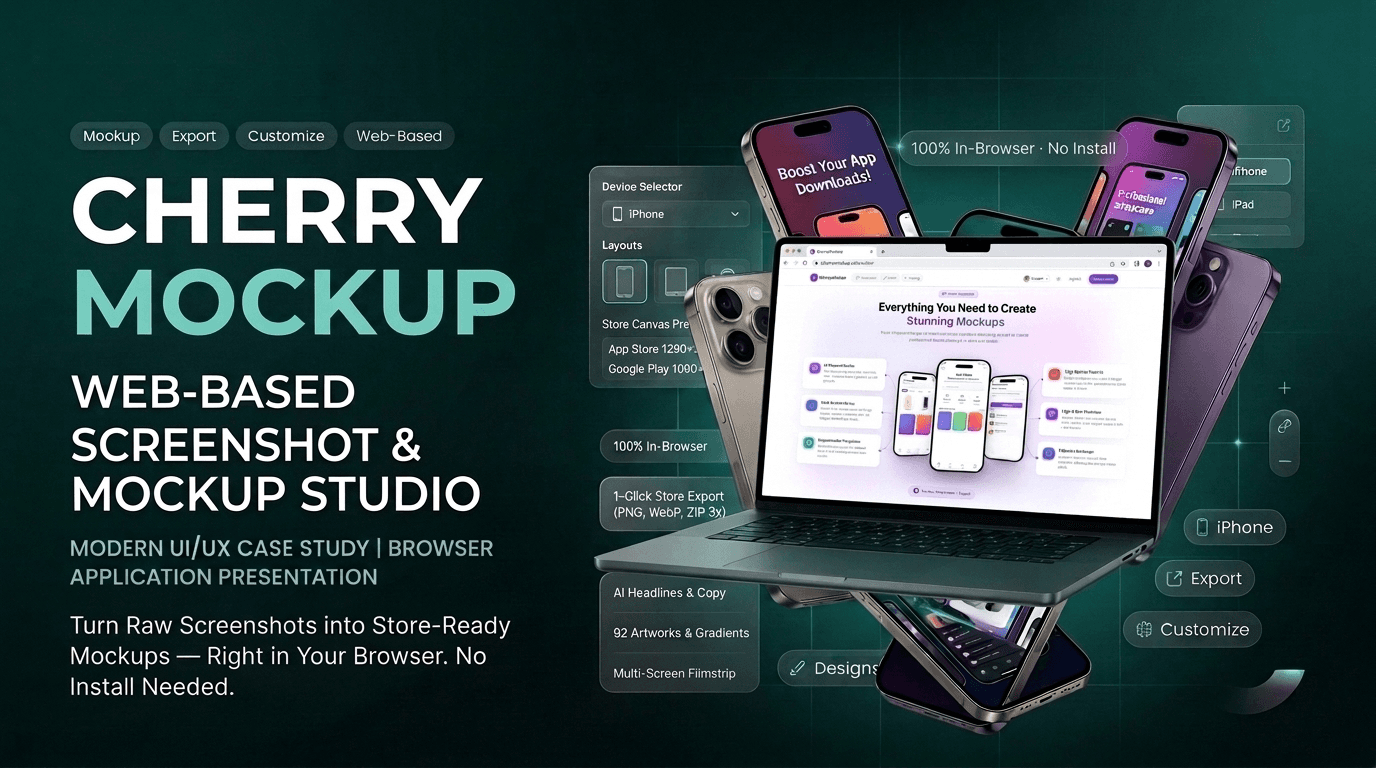
CherryMockup
The screenshot studio for App Store & Google Play.
Design Tools · SaaS
- Status
- Completed
- Category
- Product
The project, at a glance
Every app on the App Store or Google Play is judged first by its screenshots. For most indie developers, startups and small product teams, making them is a chore. They open a general design tool, hunt for a device frame, guess the required pixel sizes, line up five frames by hand, and do it all again with every release.
Mockup Studio turns that chore into a short, guided workflow. You pick a template, get five store screens side by side, drop a screenshot into each device frame (or capture one straight from a website URL), style the set with rich text, gradients and shapes, and export the whole listing at store resolution: one image, or every screen as a ZIP.
The editor is free, runs in the browser, and needs no account to export. Signing up adds saved projects, private and shared templates, and a monthly credit allowance for the AI features.
Mockup Studio
- Product
- Mockup Studio
- Category
- Design tool / SaaS for app marketing assets
- Platform
- Responsive web app (desktop editor, phone-friendly bottom-sheet inspector)
- Audience
- Indie developers, startups, product marketers, agencies, freelancers
- Timeline
- August 2026 – October 2026 (about 7 weeks of active development)
- Scope
- Product design, front-end, back-end, AI integration, admin console, billing
- Languages
- English, Hindi, Spanish, Portuguese (Brazil), Bengali, plus an 8-language guided tour with right-to-left support
Try it yourself
What we set out to build
“Give anyone who ships an app a polished, store-ready screenshot set in minutes, without a designer, a design tool or a spreadsheet of pixel sizes.”
We wanted the shortest possible path from "I have raw screenshots" to "I have files the store will accept." Five frames should read as one listing by default, not by careful effort.
What app makers told us
- 1
"I don't know which sizes the stores want." App Store Connect and the Play Console each have their own required dimensions, and they change as new devices come out.
- 2
"Device frames are a pain." Mockup PNGs are hard to find, often licensed, blurry when scaled, and fiddly to line up.
- 3
"Five screens never look like one set." Keeping fonts, colours, backgrounds and device position consistent across a listing takes hours of nudging.
- 4
"I'm not a designer." Blank canvases are intimidating, and general-purpose tools have a steep learning curve.
- 5
"I have to redo it every release." Screenshots go out of date with every update, and nobody wants to start from scratch each time.
- 6
"Writing the copy is the hardest part." A short, punchy headline for each screen is surprisingly hard to write.
How we got there
- Step 01
Understand the job
We mapped what a store listing really needs: a fixed number of screens, store-specific sizes, one device and one orientation, and short marketing copy per screen.
- Step 02
Design around the set, not the canvas
Most tools hand you one artboard. We designed the product around a set of screens that share a device, orientation and canvas size, so consistency is the default.
- Step 03
Remove every barrier to the first export
No sign-up wall. The editor opens instantly, drafts autosave in the browser, and an account is only needed to keep work for good.
- Step 04
Add AI where it saves real effort
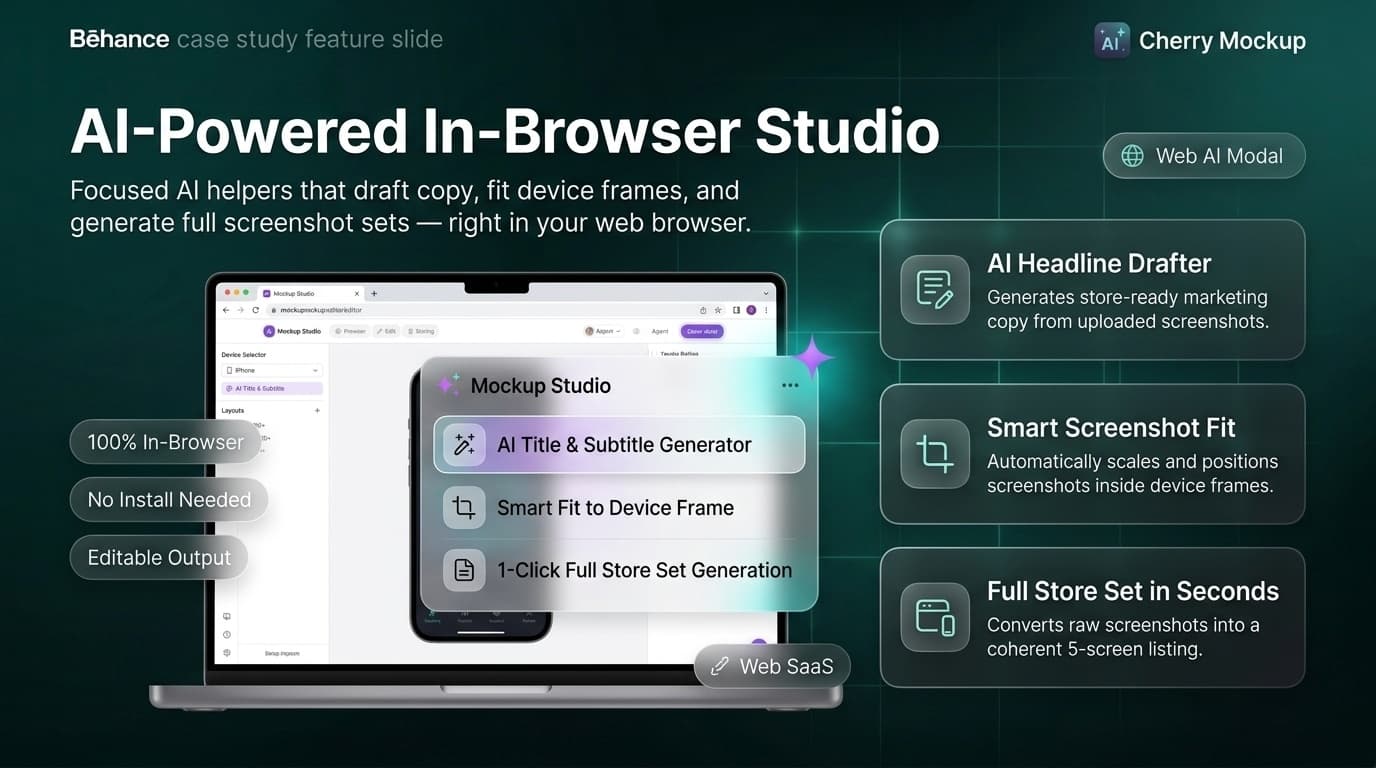
Instead of one "magic" button, we added focused helpers. Each does one job and leaves the result fully editable.
- Step 05
Build for the long term
Projects, reusable templates, an admin console and a credit-based pricing model mean the product grows with its users and its business.
Where Mockup Studio sits
Mockup Studio sits between heavyweight design suites and one-click mockup generators:
- More focused than a general design tool. Everything is built for store listings: the sizes, the frames, the set-wide controls.
- More flexible than a mockup generator. Users keep full control over layers, typography, backgrounds and device placement.
- Free where it matters. Building, styling and exporting a full set is free on every plan. Paid plans add volume, AI credits, team libraries and somewhere for the work to live.
We didn't just build a mockup generator. We built a workflow that comes back with every release.
Built for four kinds of teams
Indie developer
What they get
A professional listing without hiring a designer
Startup team
What they get
Consistent screenshots for every release, saved as reusable templates
Product marketer
What they get
Social, web and store assets from the same set
Agency / freelancer
What they get
Templates per client, private or published, plus Fiverr, Dribbble and YouTube canvas sizes
How it came together
Ten phases, each shipping something the next one could build on.
- Step 01
Foundation
Core editor, multiple screens side by side, rich-text titles and subtitles.
- Step 02
Styling
Global fonts, colour replacer, gradient and image backgrounds, image layers.
- Step 03
Devices
Data-driven device frames that stay crisp at any size, then real 3D phone models.
- Step 04
Accounts & Projects
Sign-up and sign-in, dashboard, saved projects with live thumbnails.
- Step 05
Templates
Built-in starters, community catalog, drafts and publishing, view and favourite counts.
- Step 06
Export
Preview & Export panel, PNG / JPG / WebP, 1×–3× scale, ZIP of the full set.
- Step 07
AI
Generated titles and subtitles, AI screenshot fit, a whole set generated from screenshots.
- Step 08
Advanced Layouts
Merge mockups, panoramas across screens, locked device groups, shapes.
- Step 09
Business
Pricing page, credit system, Stripe checkout, full admin console.
- Step 10
Reach
Multi-language interface, guided editor tour, SEO and social share cards.
Where it got hard
Challenge 01
Store sizes are confusing.
Resolution
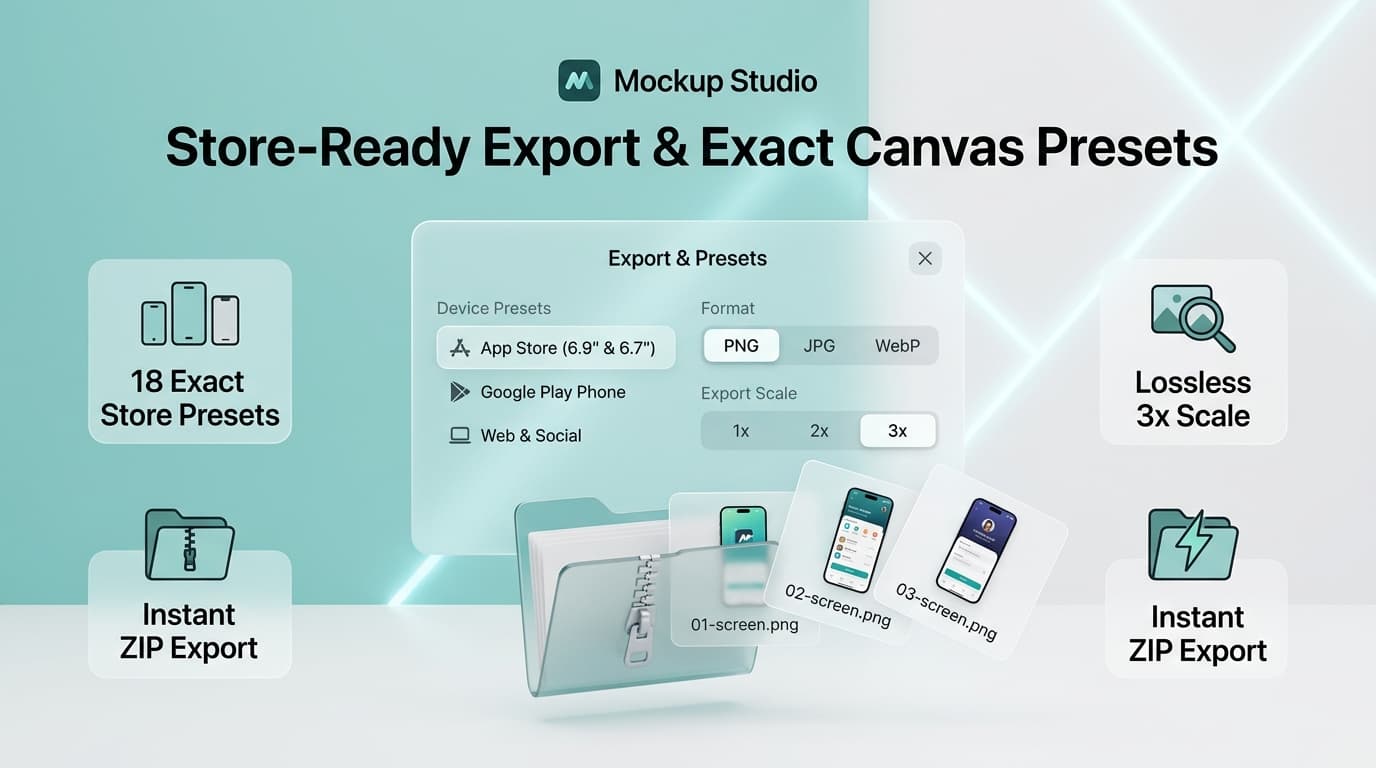
We built in 18 canvas presets covering App Store iPhone and iPad sizes, Play Store phone and tablet sizes, and social and web formats. Exports land at exactly those pixels. Guardrails also stop sizes the browser can't produce before the export fails, instead of after.
Challenge 02
Device frames are blurry and licensed.
Resolution
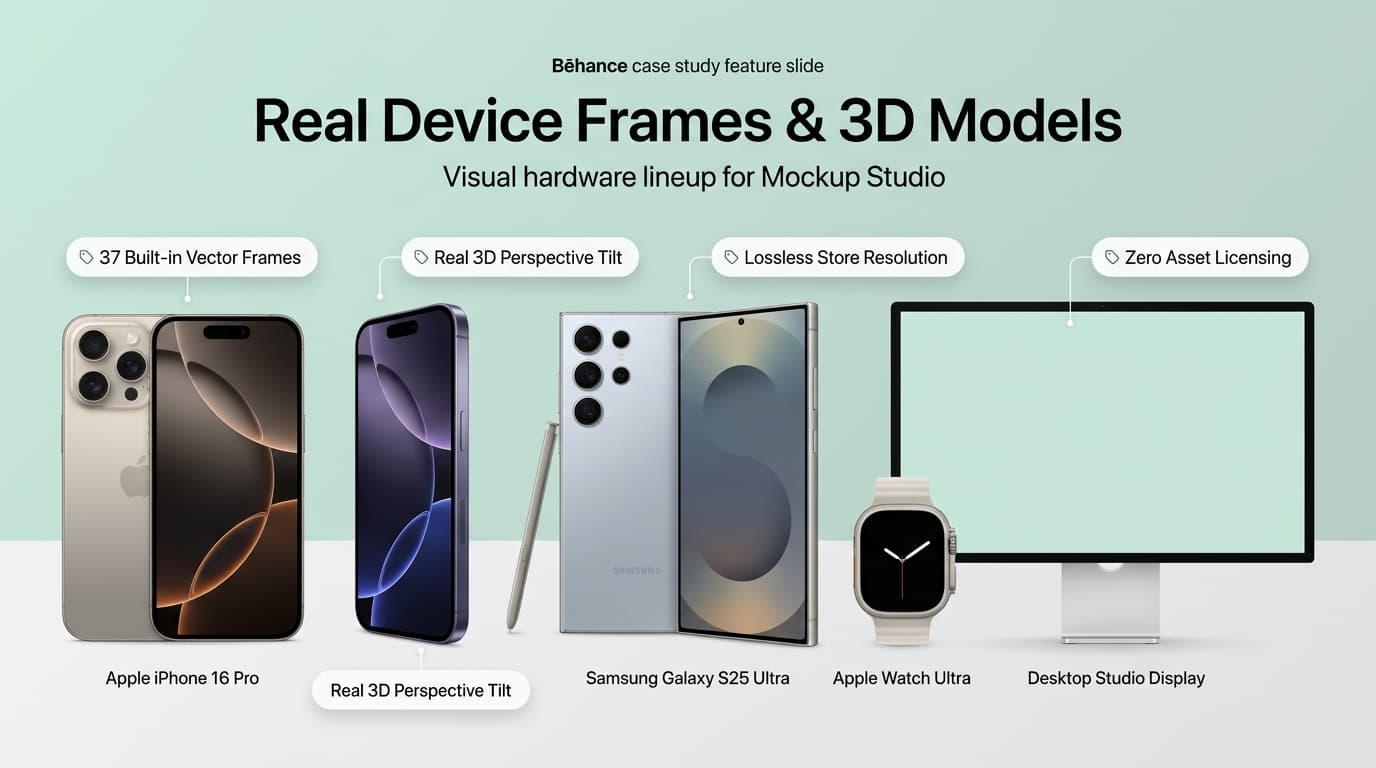
Frames are drawn from device data rather than pasted from images, so they stay sharp at any export scale and carry no asset licensing. Users can choose from 37 built-in frames: current iPhones, Pixels, Galaxy phones, iPad, Apple Watch and Wear OS watches, and a desktop monitor. Several iPhones and Galaxy phones also come as real 3D models.
Challenge 03
Five screens never match.
Resolution
Device, orientation and canvas size are shared across the set. Backgrounds, captions and artwork each have Apply to all screens, and Pin keeps a hand-tuned screen safe from bulk changes.
Challenge 04
Fear of breaking things.
Resolution
Full undo and redo covers every change, including set-wide restyles: one step back reverses a whole bulk change. Reset restores a screen's layout and keeps its content.
Challenge 05
Losing work.
Resolution
Guest drafts autosave to the browser as you type. If a guest clicks Save, they go through sign-up and land back in the editor with the draft intact.
Challenge 06
Writing copy.
Resolution
AI drafts headlines and supporting lines from what each screenshot actually shows.
How the editor stays out of the way
- Preview = export. The filmstrip of screens is the live preview. What you see is exactly what downloads.
- A clear scope rule. Controls for one screen live in that screen's inspector. Controls for the whole project live in the toolbar. Users always know where to look.
- Templates first, blank canvas second. Every template opens as a complete, styled set. The hard design work is done before you touch anything.
- Mobile-aware. On a phone, the inspector becomes a bottom sheet, so the editor stays usable on small screens.
- Guided onboarding. A step-by-step spotlight tour walks new users through the editor, in eight languages, with right-to-left support.
- Honest AI. Every AI result is a starting point: editable, removable, and free if it fails — the credits go straight back.
What the product does
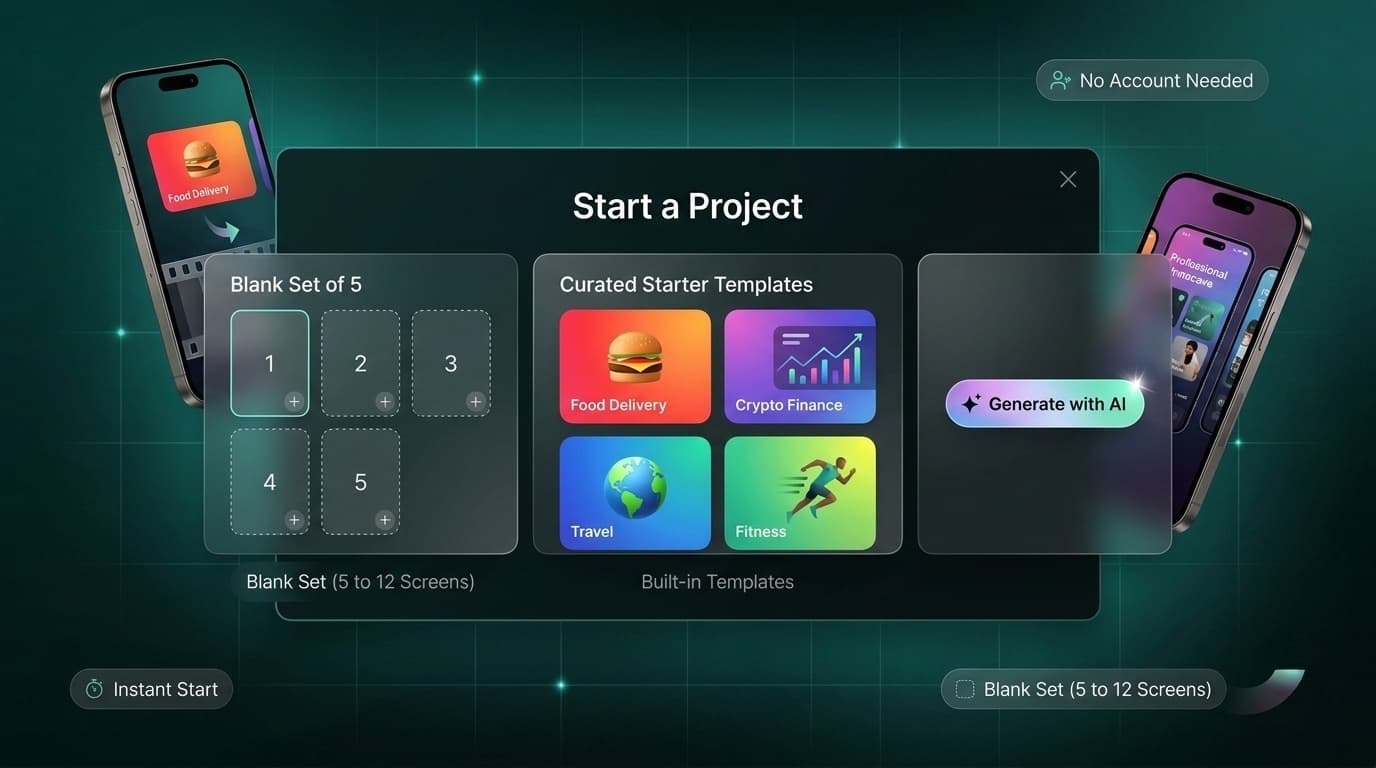
Start Anywhere
Make the first draft feel finished.
Every set starts wherever the idea already is. Open a blank set of five, a built-in starter, or a community template — or skip the blank canvas and drop in raw screenshots, or just a website URL, and let AI draft the whole thing. No account is needed to begin.
- Turn screenshots into a finished first draft.
- Generate with AI takes your app screenshots and a short description and returns a whole styled set for the App Store or Google Play — editable from the first frame, not a locked suggestion.
- Capture a live site, or drop in a screenshot.
- Upload PNG, JPG or WebP files up to 15 MB, or type a URL — Mockup Studio captures the live site at the device's own resolution.
- Or open a template and start further along.
- Every template opens as a complete, styled set, with the hard design work already done — a set can grow to 12 screens from there.
Design Everything in One Place
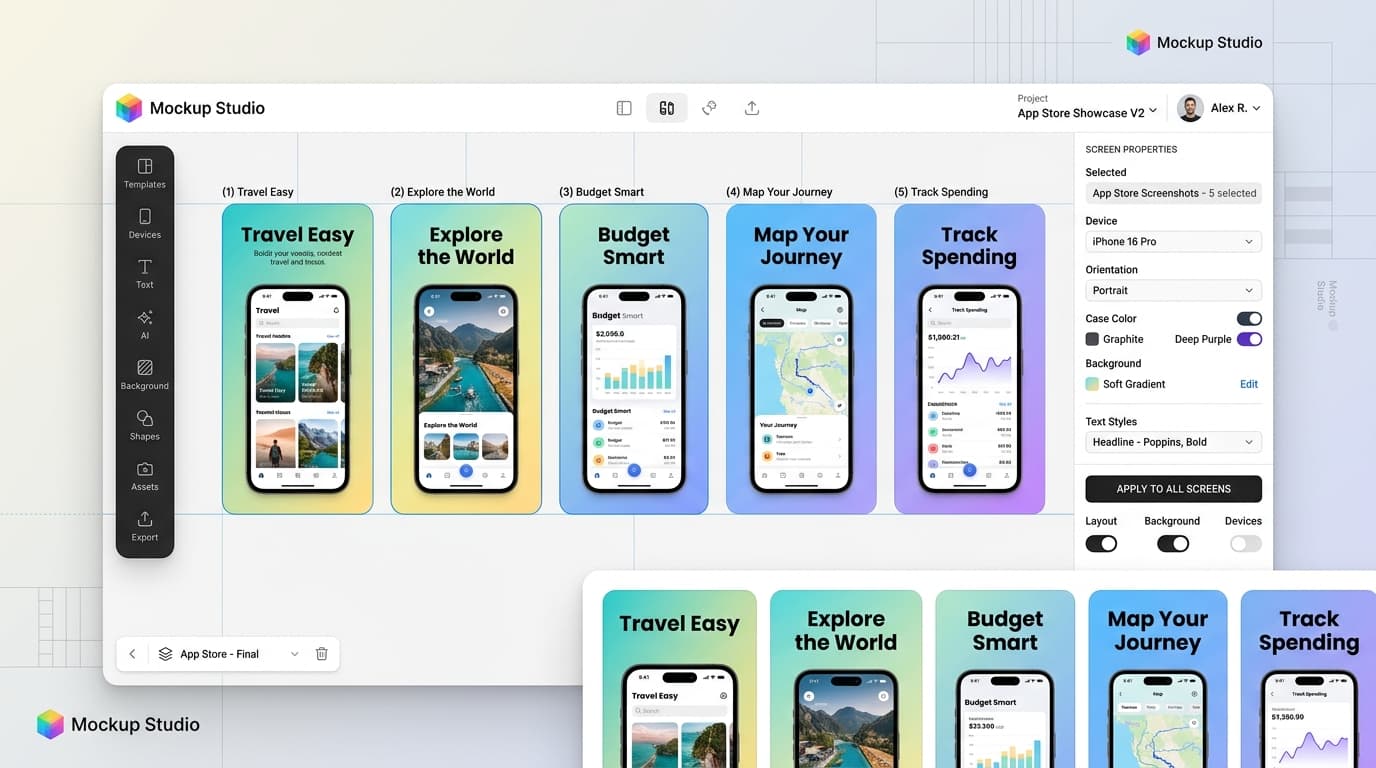
Design without leaving the browser.
Device, canvas, typography, imagery, backgrounds and shapes live inside one editor instead of a dozen disconnected tools. Move, resize, rotate or crop a screenshot right on the canvas; restyle a font pairing or a background once and apply it to the whole set, or pin a screen to leave it exactly as it is.
- Real hardware, not flat icons.
- 37 built-in device frames — iPhone, Galaxy, iPad, Apple Watch, Wear OS, desktop — drawn from device data, so they stay crisp at any export scale, with an optional perspective tilt or a real 3D model.
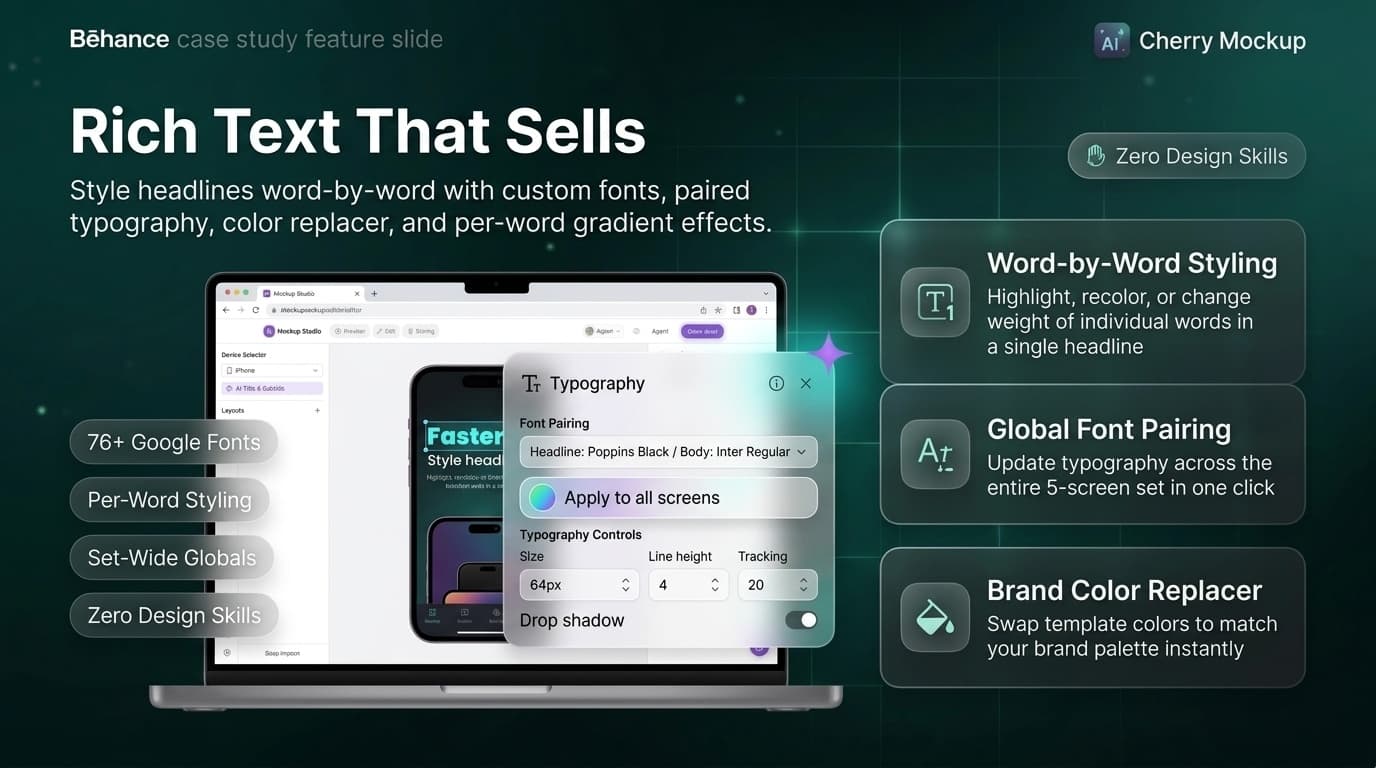
- Type that behaves like a system, not a text box.
- Style headlines word by word with custom fonts, highlights and effects. Set fonts once for the whole project from Globals, and recolour a template to your brand in one step.
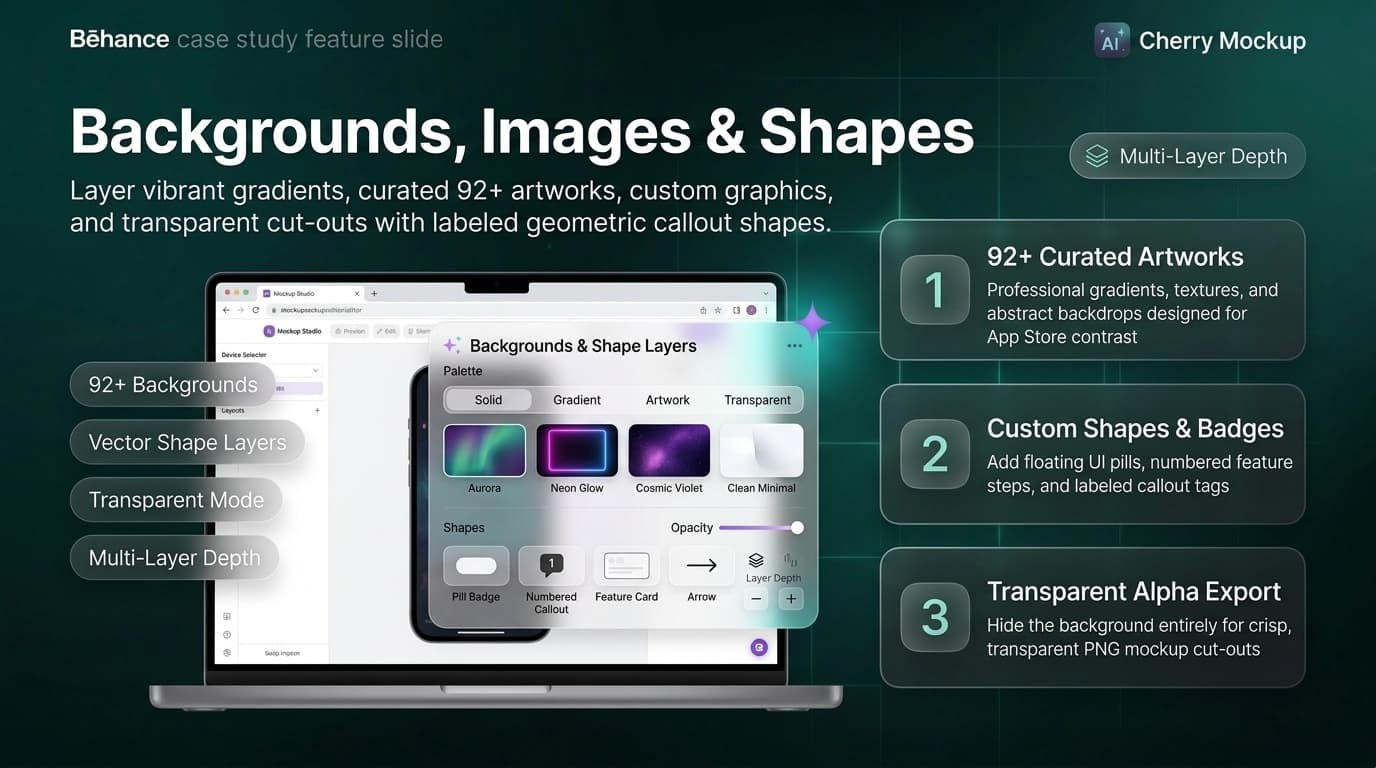
- A backdrop with real depth.
- Solid colours, gradients or images, or hide the background entirely for a transparent cut-out. Shapes build cards, pills, badges and numbered callouts, each able to hold its own label.
From Creation to Presentation
Present without rebuilding.
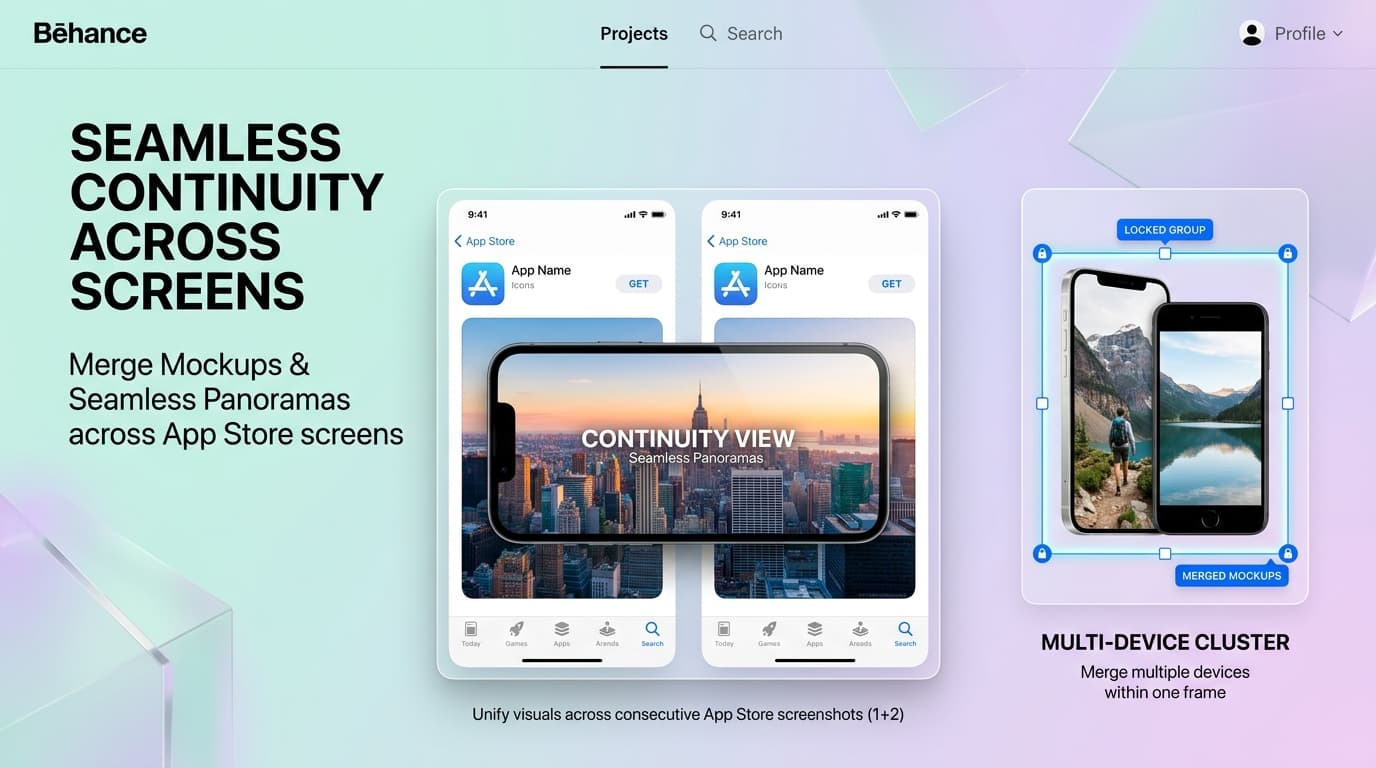
A finished set doesn't need a second tool to become presentation-ready. Multi-device composition and export both run on the same canvas that built the set, so going from a finished design to a store listing or a marketing shot stays one continuous workflow.
- Compose multi-device scenes on the same canvas.
- Put several phones in one frame, or run a single device across two or more store screenshots as a seamless panorama — locked device groups move, resize and restyle together.
- Export exactly what the store expects.
- Download PNG, JPG or WebP at 1×, 2× or 3×. Rounded corners and hidden backgrounds export as real transparency; one screen downloads as an image, several as a numbered ZIP.
- Nothing leaves the browser to get there.
- Everything happens client-side, and nothing is uploaded during export — going from design to delivery doesn't mean handing the file to another service.
Everything Stays Connected
Keep every part of the workflow connected.
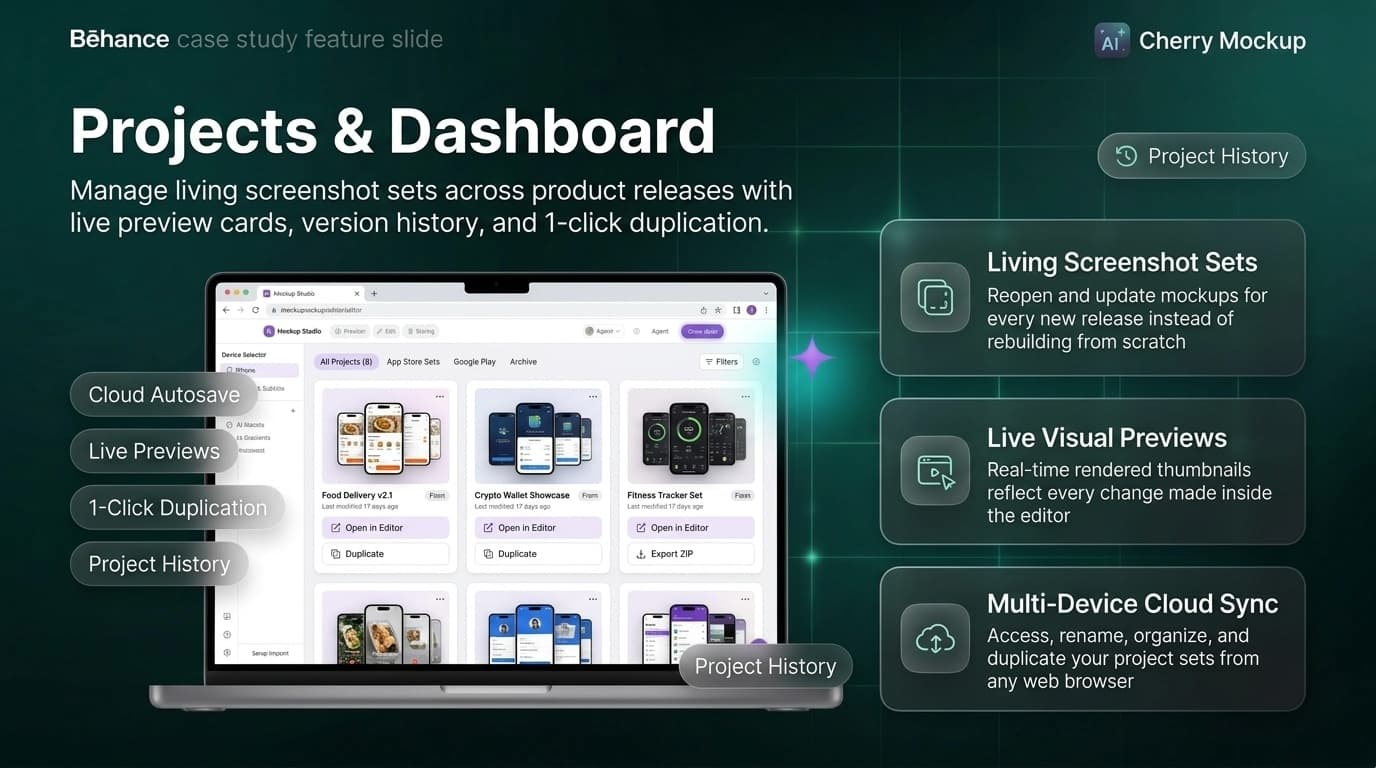
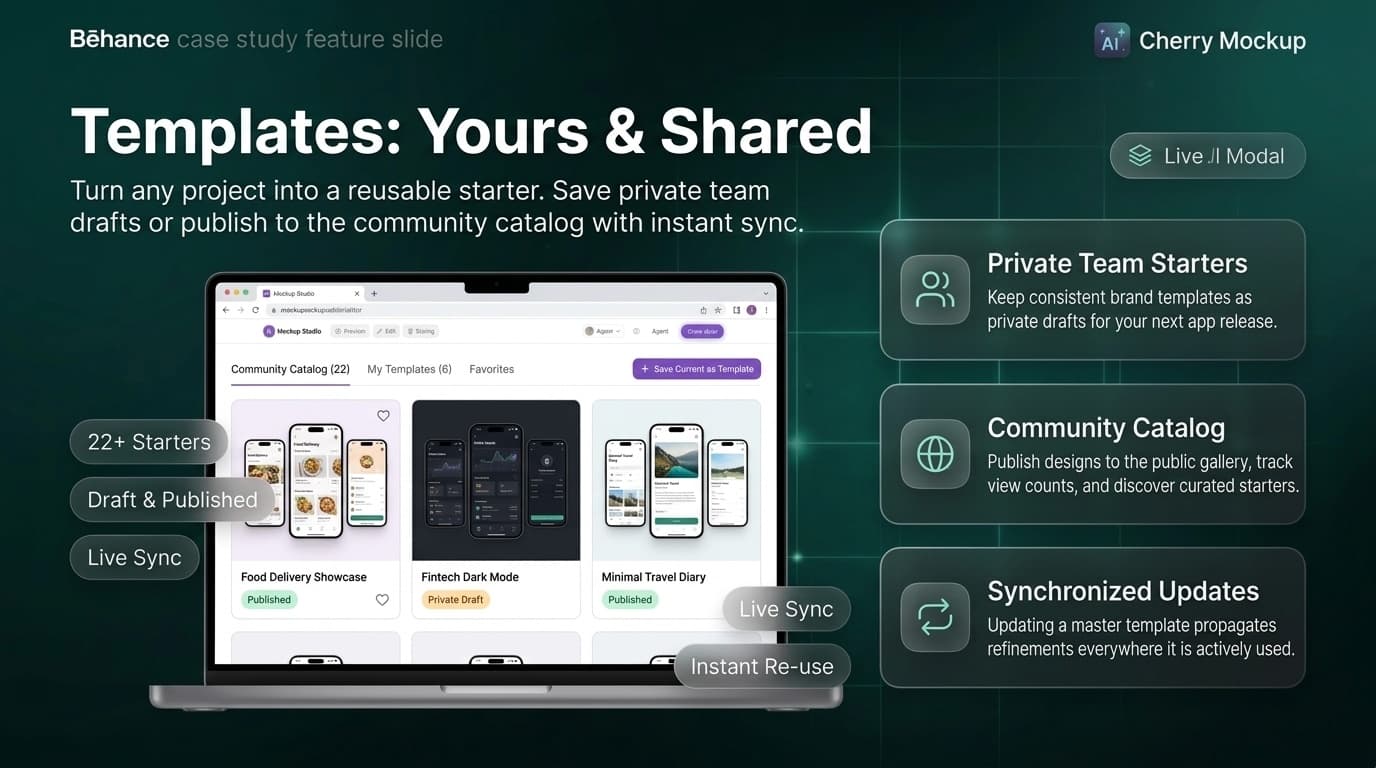
A project outlives the screen you're looking at. Save a set and it appears on the dashboard with a live preview, ready to reopen on any device. Turn any project into a template — a private draft for the next release, or published for everyone — and updating it updates every set still using it.
- A project remembers the whole set.
- Save a set to your account and it appears on the dashboard with a live preview, ready to reopen on any device, rename or delete.
- Build from the community, or contribute back.
- Turn any project into a template — keep it as a private draft for your next app, or publish it to the gallery for everyone.
- Updates propagate, not duplicate.
- Updating a template updates it everywhere it's actively used, so a shared starting point never goes stale.
The admin console
The business side needed the same care as the editor. Admins can:
- Manage devices — add new device frames that instantly appear in every user's picker.
- Curate templates — publish, edit or remove catalog templates, or author new ones from scratch.
- Run pricing — edit plans, prices per currency, feature access and credit costs, with a live preview of each plan card.
- Support accounts — view credit balances and history, and make adjustments with a recorded reason.
- Handle messages and subscribers — read, translate and reply to contact messages, and manage the newsletter list.
- Configure the app — set integrations and AI settings without a redeploy.
Before and with Mockup Studio
Before Mockup Studio
With Mockup Studio
Why Mockup Studio works
- Built for one job, done properly: store listings, not general design.
- Zero friction to start: no account, no install, no learning curve.
- Consistency by default: one device, one size, one look across the set.
- AI as an assistant, not a replacement: every result stays editable.
- Ready to scale: accounts, templates, credits, payments, admin tools and multiple languages from day one.
More from the portfolio
Shipping an app and need store assets?
We build the focused, workflow-specific tools that save teams from re-learning Figma for a one-off job.